Car Dashboard Widgets - HiCar
- 4.4
- Rating
- 10.00K
- Installs
- Free
- Price

 Analysis by App-foxy
I spent time with Car Dashboard Widgets - HiCar as a small personalization tool for the driving experience, and my first impression is that it is more focused than a conventional navigation app. Its purpose is not to replace your map service or plan routes. Instead, it is aimed at making the start of a drive feel more personal through custom startup sounds and dashboard-style widgets. That narrower goal is important, because it explains both its appeal and the situations where it may feel limited.
HiCar is a free app in the Maps & Navigation category, developed by 88 Tech. It is rated for Everyone and runs on Android 8.0 or later. The app has reached over ten thousand installs and holds a 4.4 average from around five hundred ratings, which suggests that its concept has found an audience without making it a universal driving solution. I would describe it as a companion for people who enjoy adjusting the small details of their car setup, rather than as an essential tool for every driver.
Getting past the first setup hurdles
The first place I would expect users to get stuck is the difference between installing a customization app and making that customization visible in the actual driving workflow. A startup sound may be selected correctly inside HiCar but still not be heard at the moment you expect. Likewise, a widget can be configured but not appear where you imagined it would. That does not automatically mean the app is broken; it can be a mismatch between the app, the phone, the launcher, and the vehicle display.
You May Also Like

 Blood Strike: 2.5 Anniversary
Blood Strike’s Loadouts Turn Every Drop Into a Tactical Gamble
A close look at Blood Strike’s custom loadouts: how fast access to signature weapons reshapes its battle royale rhythm, rewards preparation, and narrows the gap between fights.

 Pandora - Music & Podcasts
Pandora’s Music Is Easy to Start, but Harder to Recover
Pandora’s strength is its low-effort path from a seed to a station. Its weak spot is how much confidence it asks you to place in connection, setup, and quiet recovery.

 8 Ball Pool
 Is Built on Rivalries, Rematches, and Routine
A close look at the rivalries, rematches, shared routines, and unanswered safety questions that turn a quick pool match into a persistent mobile community.

 Samsung Music
’s Quiet Strength Is Playing What You Already Own
Its reach comes less from spectacle than from dependable access to a personal library. That simplicity is both the app’s strongest retention engine and its ceiling.

 AccuWeather: Weather Radar
AccuWeather Review: A Quick, Clear Forecast for Everyday Decisions
For everyday plans, the best forecast is the one you can understand quickly. AccuWeather makes rain timing, radar, and local conditions easy to act on, with a few trade-offs.

 Hill Climb Racing
Why Hill Climb Racing Still Turns Crashes Into One More Run
A tiny car, a bumpy hill and one more upgrade: Hill Climb Racing keeps resurfacing because its simple chaos makes every near-miss feel personal.
More From Our News Desk
View All News


I found it useful to approach setup in small stages rather than changing several options at once. Begin by opening the app normally and checking the basic personalization controls. Choose one startup sound, save it, and test that single change before adding widgets or changing other preferences. This creates a simple reference point. If the sound works, you know the main selection process is complete. If it does not, you have a much smaller set of possible causes to investigate.
The same method helps with widgets. Add or enable one widget at a time, then check the place where you expect it to appear. Phone widgets and vehicle dashboard displays are not always the same thing, so it is worth identifying whether you are looking at the phone’s home screen, a connected car interface, or another dashboard environment. HiCar’s appeal comes from bringing a more tailored feel to that space, but the final presentation depends on the environment receiving the information.
The most useful setup habit is to test each personalization change independently. When several changes are made together, it becomes difficult to know whether a sound was not saved, a widget was not added, or the display simply did not refresh. A short, controlled setup is less frustrating than repeatedly reinstalling the app or resetting everything.
What to check before blaming the app
Before judging the startup sound, check the phone’s media volume and the volume of the car or connected audio system. A muted phone, a low media channel, or an audio connection directed elsewhere can make a correctly configured sound seem inactive. I would also test while the phone is awake and the app is open, then repeat the test in the normal driving situation. That distinction matters because an in-app preview and an automatic startup event are not necessarily the same moment.
For widgets, check whether the selected home-screen or dashboard area has room for them. Some launchers require a long press or an explicit add-widget action, while a connected display may present only the elements it supports. HiCar can provide the personalization layer, but it cannot make every phone layout or vehicle interface behave identically. If a widget is visible in one place but not another, that points more toward display compatibility or placement than toward a failed configuration.
I would also make sure the app is updated to its current version, 1.2.2, before spending time on deeper troubleshooting. Updating is a sensible first step because it puts the installation in the same state as the developer’s latest release. After an update, reopen the app and verify the selected sound or widget rather than assuming the previous state carried over perfectly.
Another practical check is to avoid testing while driving. Configure HiCar while parked, then perform a brief stationary confirmation before setting off. This is not only more convenient; it keeps the setup process separate from the navigation task. A customization that requires repeated attention is not worth handling once the vehicle is moving.
A calmer recovery process when something disappears
If a sound or widget stops behaving as expected, I would first return to the last known working choice instead of changing every available option. Re-select the original item, save it, close and reopen HiCar, and test again. If the problem began after changing the phone’s audio connection or dashboard arrangement, restore that connection or arrangement temporarily. This kind of rollback is more informative than immediately deleting the app.
For a missing widget, remove the empty space or old widget from the relevant screen and add it again. The important point is to distinguish between a saved preference and a misplaced visual element. A widget can be configured inside an app while still needing to be placed separately in the interface where you want to see it. If the available space is crowded, moving another item first can be a more useful test than repeatedly tapping the same setting.
When a startup sound fails only occasionally, compare the situations in which it works and does not work. Does it happen when the phone starts, when the car connection begins, or when the dashboard opens? Does it fail only when another audio source is already active? These observations help identify whether the trigger is tied to the app’s configuration or to the timing of the phone and car connection. I would keep notes of the difference for a few tests, because intermittent behavior is easy to misremember.
There is also a sensible point at which to stop resetting things. If the app opens normally, the chosen customization remains selected, and the issue appears only on a particular dashboard or audio setup, further changes inside HiCar may not help. At that stage, preserve the working configuration and investigate the connection or display separately. That approach avoids turning a small presentation issue into a full reconfiguration of the phone.
When HiCar is not the real cause
Car-related phone features often depend on several parts working together. The phone supplies the app, the audio path determines whether a sound can be heard, and the dashboard or launcher decides how a widget is shown. If any one of those layers changes, the result can look like an app failure even when HiCar has retained the correct setting.
For example, if music plays through the car but the startup sound does not, the issue may involve the order in which audio connections become active rather than the selected sound itself. If the sound works through the phone speaker but not through the vehicle, the audio route deserves attention. If a widget appears on the phone but not on the connected display, the display’s supported layout may be the limiting factor. These are useful distinctions because they tell you what to test next.
HiCar is also not a substitute for a full navigation service. It is not the app I would choose when my main need is turn-by-turn guidance, traffic information, route planning, or offline maps. A dedicated navigation app remains the better tool for those jobs. HiCar makes more sense alongside the usual navigation option, adding a personal touch rather than trying to replace the practical core of a driving setup.
That companion role is clearest in everyday use. Imagine getting into the car for a morning commute. You already know which navigation service you prefer, but you dislike the plain, repetitive feel of starting the same drive every day. HiCar can make the beginning of that routine feel more like your own setup through a chosen startup sound and dashboard widgets. The benefit is small but tangible: it improves the atmosphere without asking you to change the way you find a route.
There is a trade-off, though. Personalization is valuable only when it stays out of the way. If you spend more time adjusting sounds, rearranging widgets, or trying to make a particular display cooperate than you spend enjoying the result, the app becomes less useful. I would recommend treating it as a set-and-check tool, not as something to constantly manage while driving.
Who will appreciate it most
HiCar is a good fit for drivers who enjoy customizing their devices and want their car interface to feel less generic. It may also suit someone who has already settled on a navigation app and wants a separate layer of personality around it. Because the app is free to install, it is easy to try without committing money at the outset, although optional in-app purchases range from about five dollars to forty dollars per item. I would look carefully at what any paid item adds before buying, especially if your goal is only a simple startup change.
The app is less convincing for people who want a complete all-in-one driving assistant. If your priority is reliable route guidance, live road information, or a large ecosystem of navigation features, the ordinary alternatives in Maps & Navigation are more appropriate. HiCar’s value is in presentation and personalization. Comparing it directly with a route planner is therefore unfair to both products, but it is still important to understand that its role is narrower.
It may also be a poor match for drivers who rarely use widgets, dislike customized sounds, or prefer a completely silent and minimal startup. In that case, the extra setup has little payoff. The Everyone content rating makes it broadly accessible, but accessibility does not mean every driver will find the concept useful. The right question is whether these small details matter to your daily routine.
One subtle advantage is that the app encourages you to separate driving functions from personal style. I can keep my trusted navigation service for directions while using HiCar for the atmosphere and dashboard presentation. That separation reduces the pressure to abandon a familiar route-planning workflow just to get a more personal interface. It also means I can judge HiCar on what it actually does instead of expecting it to solve unrelated navigation problems.
My practical verdict after using the concept
My overall view is positive but deliberately measured. Car Dashboard Widgets - HiCar has a clear purpose, and that clarity is its strength. It gives drivers a way to personalize startup sounds and widgets without pretending to be a complete navigation platform. The best experience comes from setting it up while parked, confirming one change at a time, and understanding that the phone, audio connection, and dashboard may each affect the final result.
I would recommend it to someone who sees a car dashboard as more than a utility screen and enjoys making everyday technology feel personal. The free entry point makes experimentation straightforward, while the current version and Android compatibility make it accessible to users on relatively older phones as well. Still, I would not install it expecting better routes, traffic avoidance, or navigation accuracy. Those needs belong to a different kind of app.
My final advice is to try a simple configuration first: choose one startup sound, place one widget, and test the result in the exact phone-and-car combination you normally use. If that small setup improves your routine, HiCar has earned a place beside your navigation app. If the display or audio path creates more friction than enjoyment, the usual minimalist dashboard or established navigation alternative will probably serve you better. HiCar is worthwhile when personalization is the goal, not when navigation itself is the problem.
FAQs for Car Dashboard Widgets - HiCar
01What is Car Dashboard Widgets - HiCar?
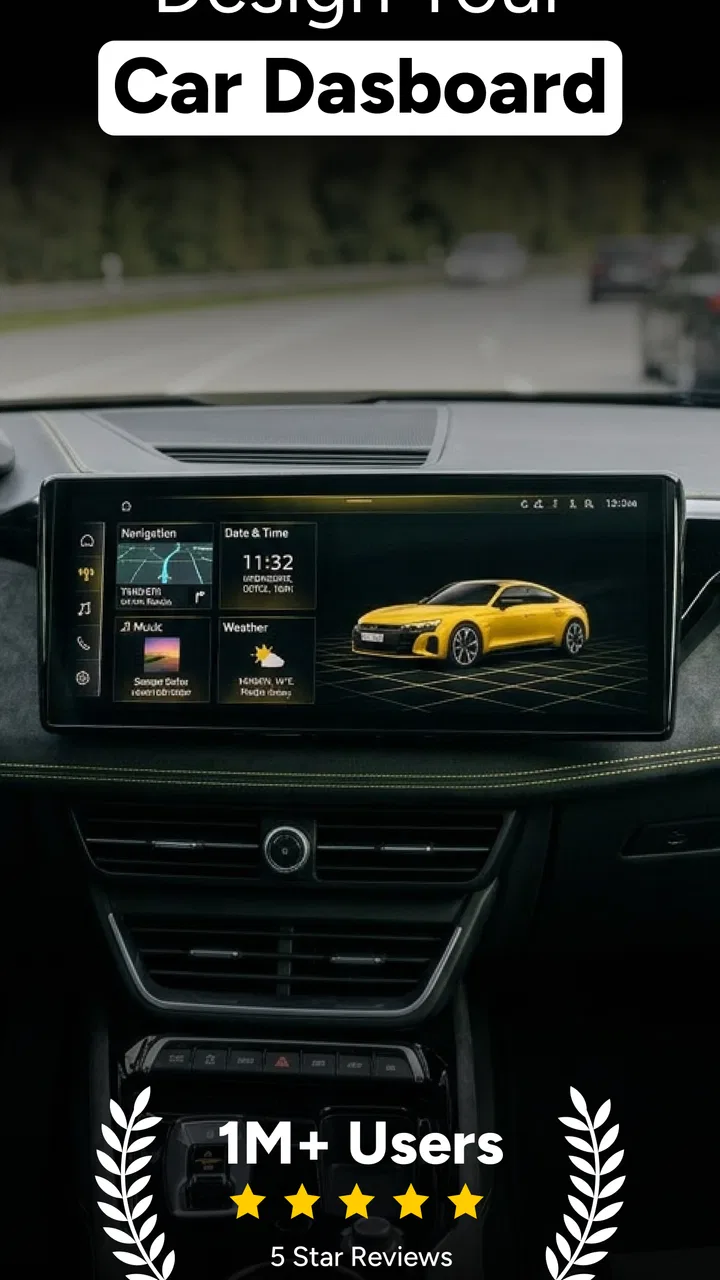
Car Dashboard Widgets - HiCar is an Android customization app designed to make your phone more useful while driving. It provides a dashboard-style interface with quick access to selected widgets, shortcuts, and vehicle-related information. The app is intended to give drivers a simpler view of essential functions, although the exact features available may depend on the phone model, Android version, installed apps, and granted permissions.
02Does Car Dashboard Widgets - HiCar work with Android Auto or every car?
HiCar is primarily a phone-based dashboard and widget application, so it does not automatically guarantee compatibility with every vehicle or Android Auto system. Whether it can be displayed on your car screen depends on the phone, head unit, connection method, and available Android Auto support. Before downloading, users should check the app description and test whether their vehicle permits the desired dashboard or widget functionality.
03Is Car Dashboard Widgets - HiCar free to download and use?
The application may be available to download without an upfront charge, but some features can be limited by advertisements, optional purchases, or premium functionality, depending on the current version. We recommend checking the Google Play listing for the latest pricing details before installing. Also review the subscription terms carefully if premium access is offered, especially if you only want to test the dashboard features temporarily.
04What permissions does Car Dashboard Widgets - HiCar require?
The permissions requested by HiCar can vary according to the widgets and shortcuts you choose to use. Possible requests may include location for navigation or driving-related information, notification access for displaying alerts, and permission to appear over other apps or run in the background. Only grant access that seems necessary, and review Android’s permission manager if you want to disable a feature or protect sensitive information.
05Is Car Dashboard Widgets - HiCar safe to use while driving?
HiCar can help organize frequently used information, but it should not be treated as a replacement for attentive driving. Set up the dashboard, widgets, and shortcuts before starting your journey, keep interactions to a minimum, and avoid reading or tapping the phone while the vehicle is moving. Use a secure legal mount, obey local laws, and rely on voice controls or a passenger whenever possible.
Pros
- Displays useful car data such as speed
- fuel level
- and engine information.
- Customizable dashboard layout helps keep preferred widgets easy to access.
- Can make an older vehicle feel more modern without replacing the head unit.
- Large
- glanceable elements are practical when the phone is mounted in the car.
- Supports a more personalized driving setup than many standard dashboard apps.
Cons
- Compatibility may vary depending on the vehicle
- adapter
- and phone model.
- Some features may require additional hardware or in-app purchases.
- Continuous GPS and Bluetooth use can noticeably reduce battery life.
- The interface may take time to configure before it feels convenient to use.
- Using a phone dashboard while driving can still create distractions if poorly mounted.

Car Dashboard Widgets - HiCar
Gallery